Shorten links without leaving Claude or ChatGPT — toui's MCP server
Contents
A lot of work now happens inside an AI assistant — drafting posts, writing emails, pulling together a brief. But the moment you need a short link, you break the flow: switch tabs, open a shortener, paste, copy, come back.
toui now runs as an MCP server, so it lives inside the assistant you’re already in. Connect it once, then just say “shorten this link with toui” and you get a clean toui.io short link back — without leaving the conversation.
This post walks through connecting it in both Claude and ChatGPT.
What it is
MCP (Model Context Protocol) is the standard that lets an AI assistant talk to an outside service. toui exposes a set of tools over a remote MCP server at https://mcp.toui.io. The one you’ll reach for first:
shorten_url— create a toui.io short link for any URL, optionally grouped into a campaign and tagged with a channel.
Alongside it are tools for editing a link, listing your links, reading click stats, rolling a campaign up, and managing your link-in-bio page — so you can ask how last week’s links did without leaving the conversation either.
Authentication is OAuth 2.1: you sign in to your toui account when you connect, so your API key never goes into the chat or a shared prompt (more on that below). It’s also listed in the official MCP Registry as io.toui/url-shortener.
Connect in Claude
toui is listed in Claude’s connector directory, so there’s no URL to paste.
1. Open Settings → Connectors, choose Discover and search for toui.
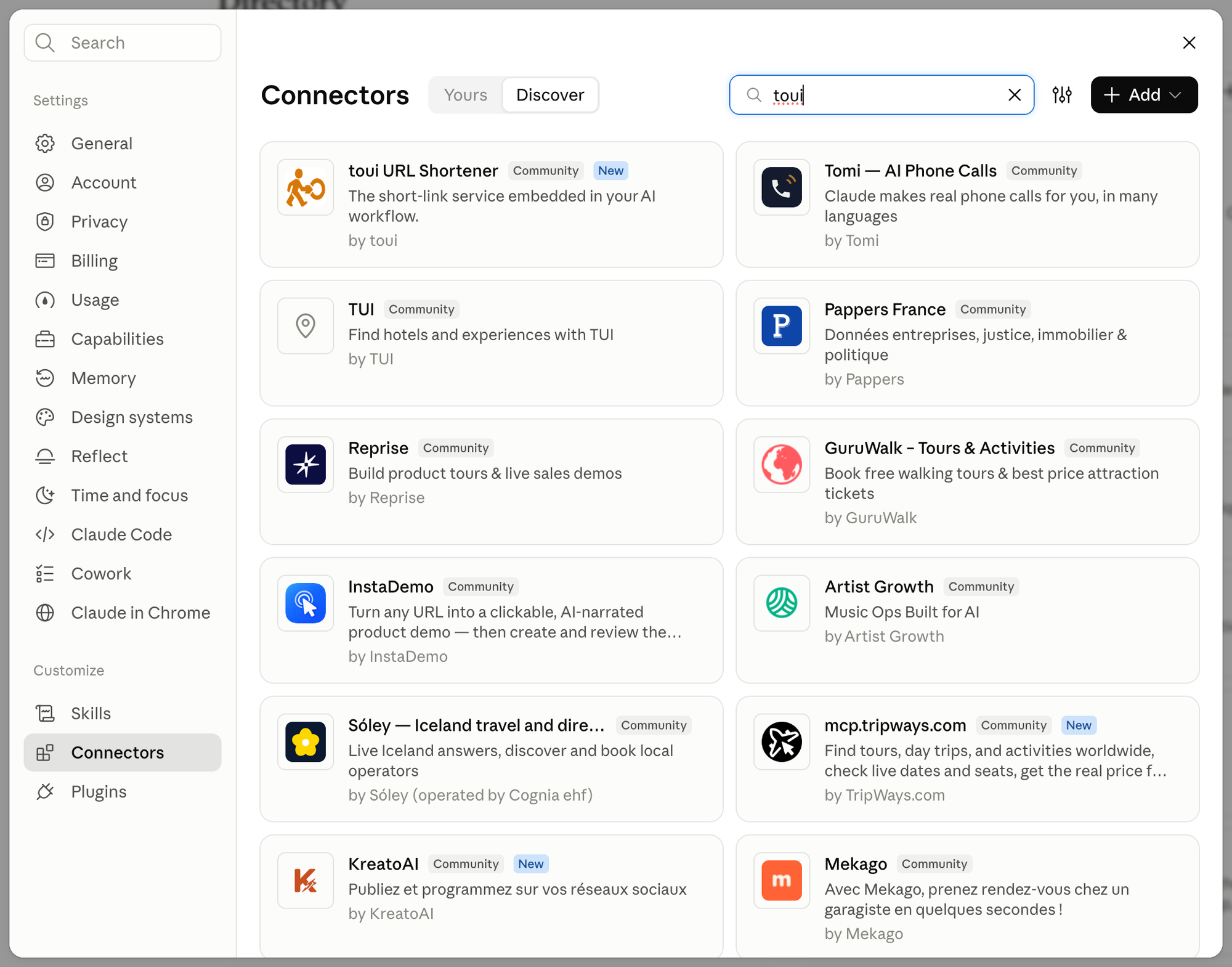
2. Click toui URL Shortener, then Connect to Claude, and sign in with your toui account.
You can also open the toui listing directly. Once connected, set shorten_url to Always allow under Settings → Connectors → toui so it won’t ask every time.
Back in the chat, ask Claude to “shorten this link with toui” and it does it inline. The Claude setup guide covers the rest, including adding it by URL.
Connect in ChatGPT
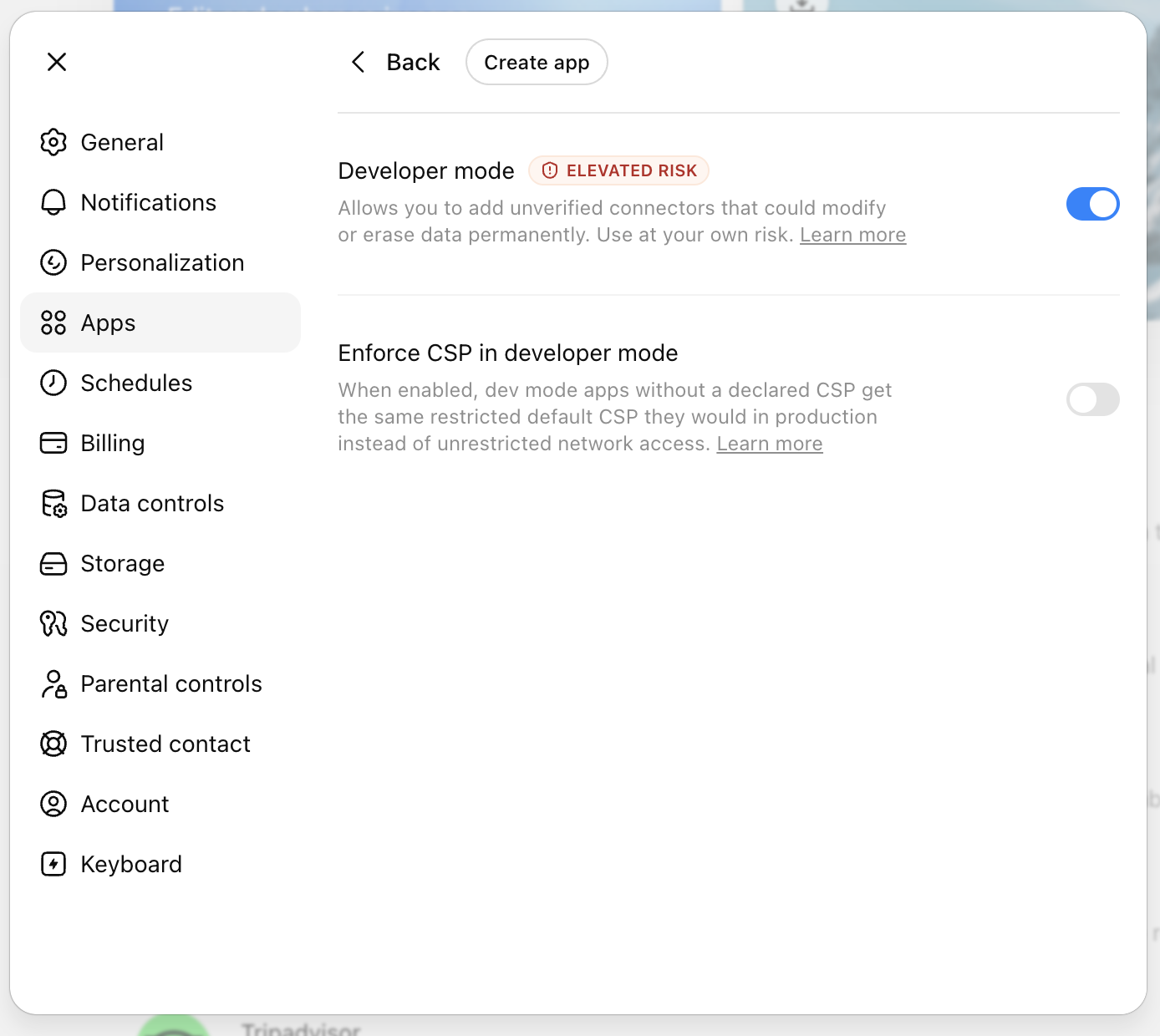
ChatGPT works too, with one extra step: you turn on Developer mode first. ChatGPT shows an “elevated risk” notice when you do — that’s normal for any custom connector you add yourself (it hasn’t been reviewed by ChatGPT), not specific to toui.
1. Settings → Apps → Advanced settings → enable Developer mode.
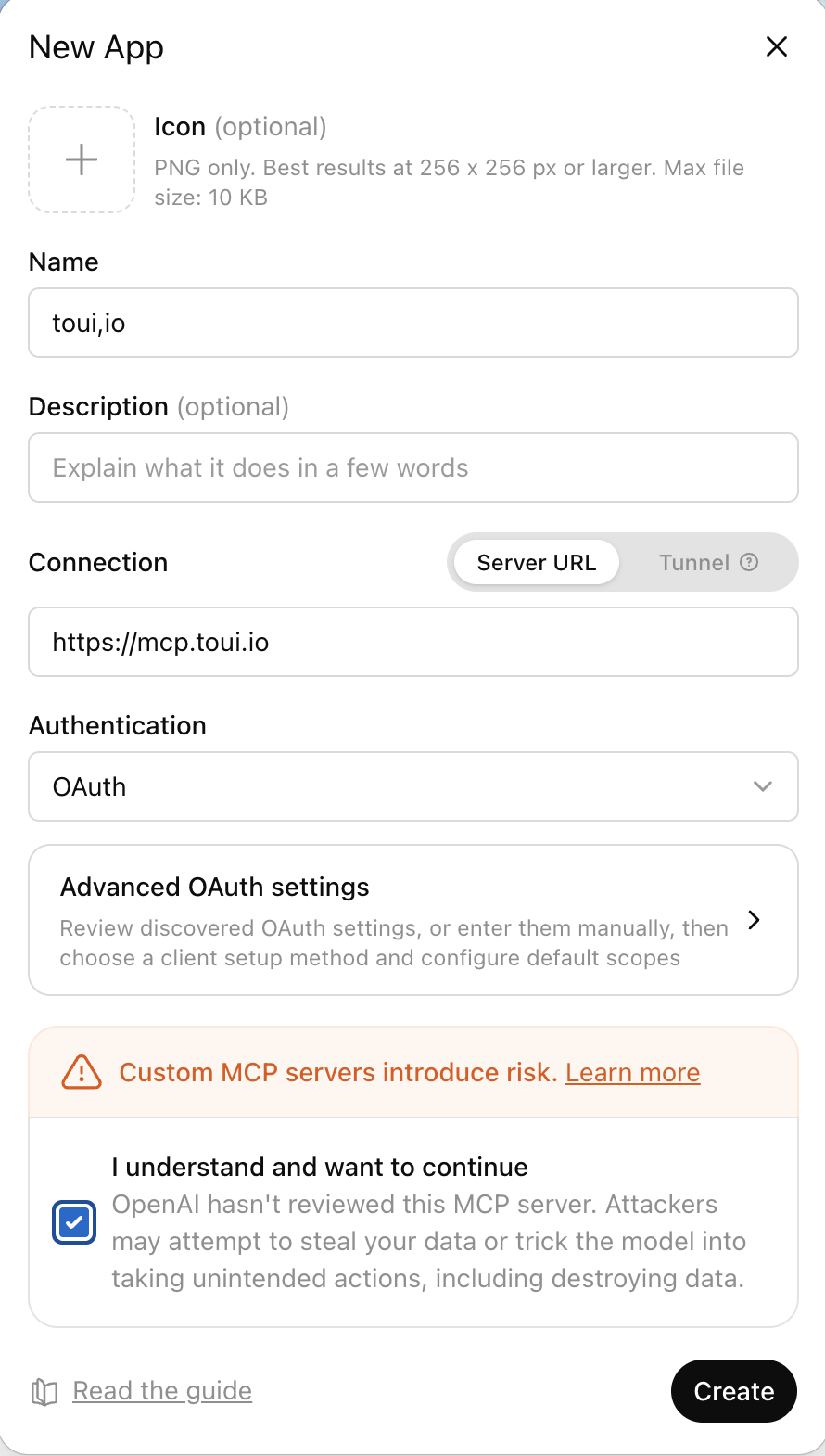
2. Create the app: Connection = Server URL https://mcp.toui.io, Authentication = OAuth.
3. Approve the authorization prompt.
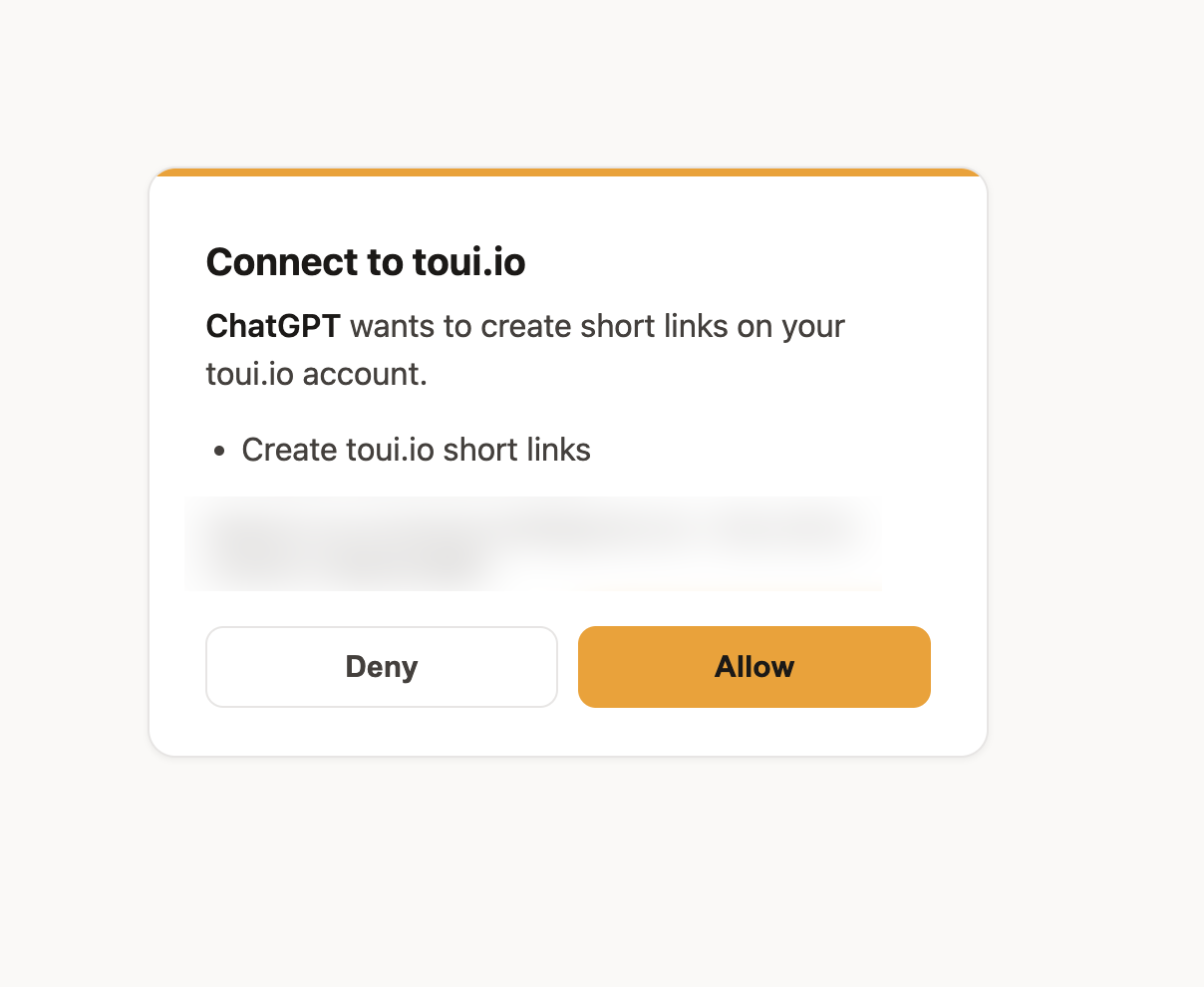
Then ask in the chat — “shorten this link with toui” — and it returns a toui.io link.
Tip: name toui in your request so the assistant knows which connector to call, rather than trying to shorten the link some other way.
Your API key doesn’t belong in an AI chat
Worth calling out, because it’s a common mistake: don’t paste an API key directly into an AI conversation, or into a prompt you share with someone. Conversations and shared prompts can be seen and stored — a key that lands in one is effectively public.
A connector avoids that. With OAuth, you authorize once in your client’s settings and the credential never appears in the conversation. And the connector only reaches your links, campaigns, stats and link-in-bio page. It can’t delete anything, and billing, team members and API keys stay out of its reach.
For the full picture — the three honest ways to connect a service from inside an AI tool, and why a connector alone isn’t enough without scoped keys — see Your API Key Doesn’t Belong in AI-Generated Code.
Troubleshooting
- The assistant talks about shortening but doesn’t actually do it. Name toui in your request (“shorten this with toui”) so it calls the connector instead of trying another way. In Claude, set
shorten_urlto Always allow; in ChatGPT, approve the tool when prompted. - ChatGPT shows an “elevated risk” notice. That’s expected for any custom connector you add yourself — it just means ChatGPT hasn’t reviewed it. It’s not specific to toui.
- Sign-in didn’t complete / the magic link expired. Magic links are short-lived — request a fresh one, or use Sign in with Google instead.
- The connector won’t connect. Confirm the URL is exactly
https://mcp.toui.ioand that you finished the OAuth approval step. The server is reachable over HTTPS and returns401with aWWW-Authenticateheader until you authorize — that’s normal. - Still stuck? Email support@toui.io.
Try it
Don’t have a toui account yet? Sign up free, connect it to Claude or ChatGPT, and shorten your next link without switching tabs.