Use toui in Claude to create short links and read their stats
Contents
A lot of link work happens in the middle of writing something else. You draft a post or an email in Claude, need a short link for it, and leave the conversation to make one. A few days later you leave again to see whether anyone clicked.
The toui connector keeps both steps in the chat. Connect it once, and Claude can create toui.io short links, tag them by channel, group them into campaigns and tell you how they performed.
This page covers setup, what the connector can and can’t do, and what to check when something doesn’t work.
Before you start
You need a Claude account that can add connectors and a toui account. A free toui account is enough, and you can create one during the connection step by signing in with Google or with an email link. No API key is involved.
Connect toui to Claude
toui is listed in Claude’s connector directory as toui URL Shortener.
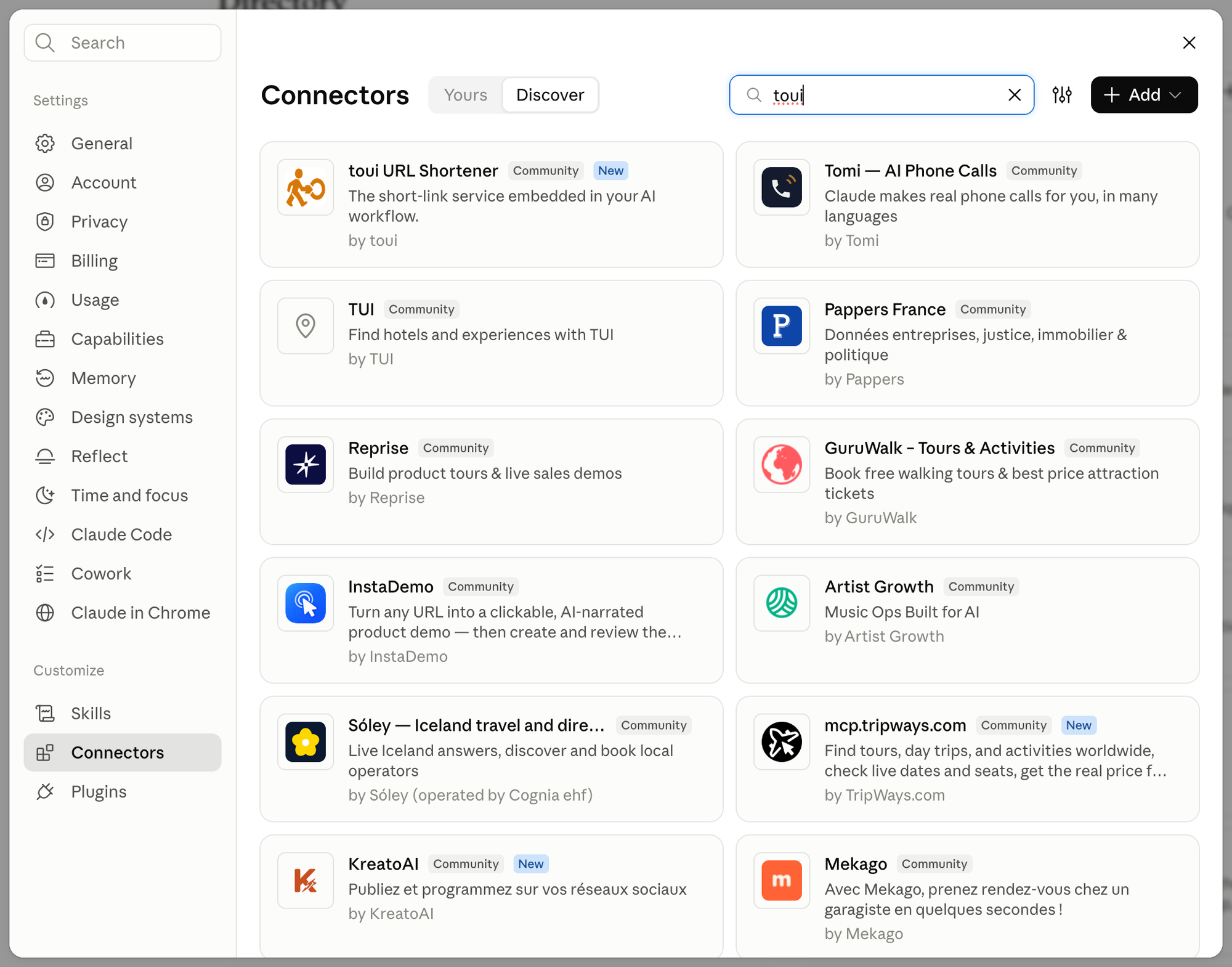
- In Claude, open Settings → Connectors, choose Discover and search for toui.
- Click toui URL Shortener, then Connect to Claude. A toui sign-in page opens.
- Sign in to toui, review the permissions and click Allow. You return to Claude with toui connected.
You can also open the toui listing directly.
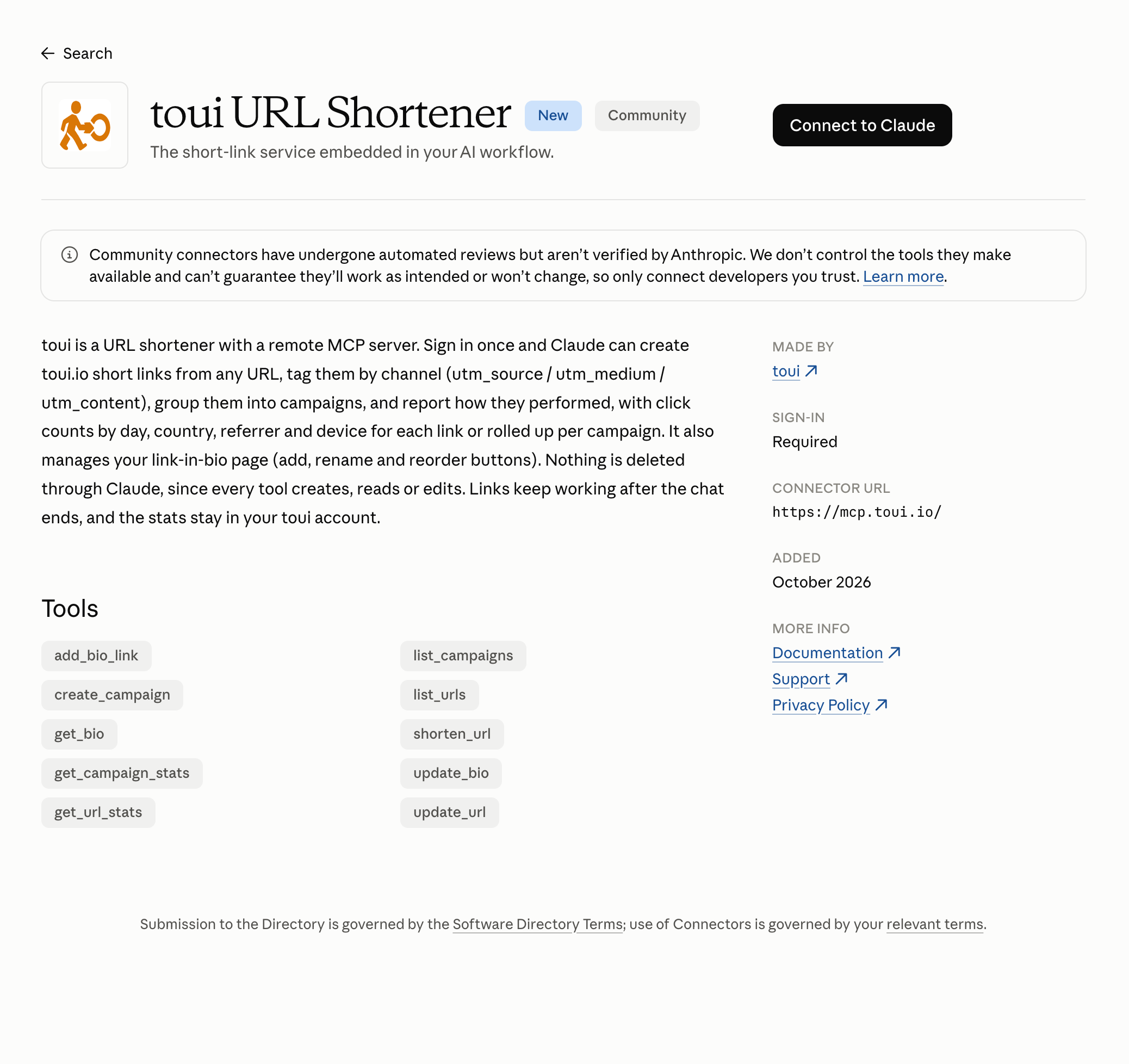
After you sign in, toui shows what Claude will be allowed to do in your account before you click Allow.
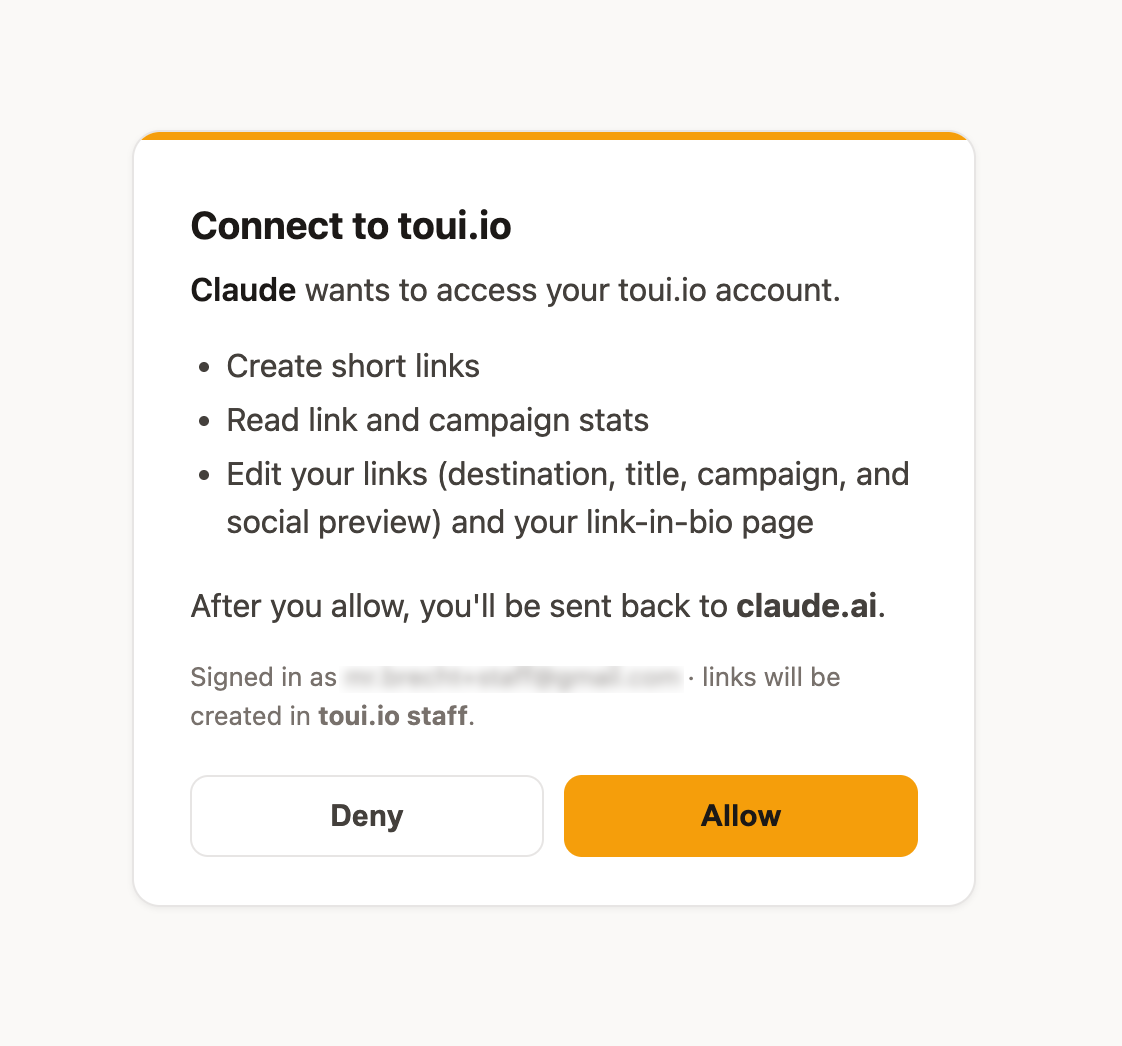
Once connected, toui shows up in your connectors list under Settings → Connectors.
Adding it by URL instead
You can also add toui by its URL as a custom connector. In Settings → Connectors, click Add and pick the option to add a custom connector, name it toui, paste https://mcp.toui.io and click Continue. Signing in and allowing access work the same way.
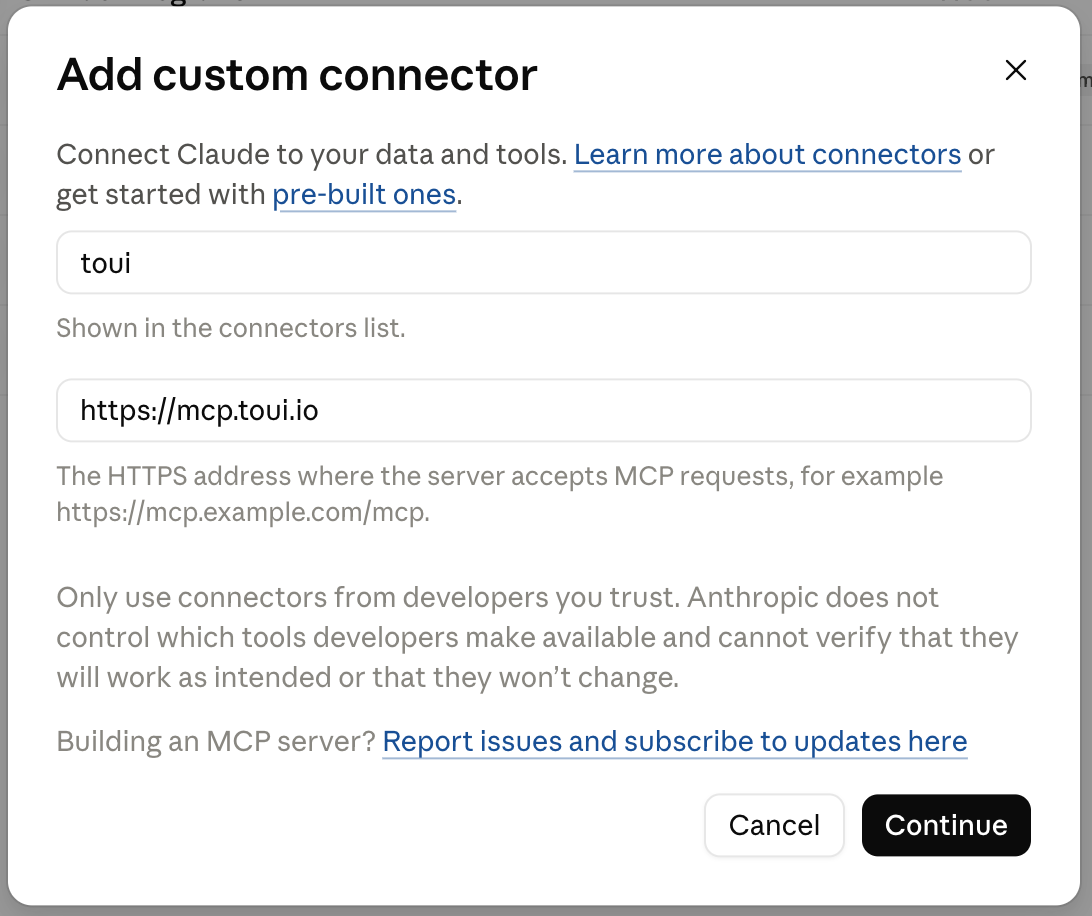
To check it worked, start a new chat and ask “Use toui to list my links”. A new account returns an empty list, which still confirms the connection.
What you can ask
Name toui in the request so Claude knows which connector to use.
- “Use toui to shorten https://example.com/launch, one link for X and one for my newsletter, in a campaign called Launch week.”
- “How did my Launch week campaign do this month? Which channel sent the most clicks?”
- “List my toui links sorted by clicks and tell me which ones went quiet in the last 7 days.”
- “Change the social-preview title of that link to Read the full guide.”
- “Add https://example.com/new-post to the top of my toui bio page.”
What the connector can do
- Short links. Create a toui.io short link from any http or https URL, with an optional title, campaign and channel tags (source, medium and content). Each link also gets a QR-code page.
- Editing. Change a link’s destination, title, campaign, channel tags or social-preview text and image. On paid toui plans you can also send iPhone, Android or visitors from specific countries to different destinations.
- Finding links. List your links newest first or by clicks, search them by text, or filter by campaign.
- Link stats. Total clicks over today, yesterday, the last 7 or 30 days, or all time, broken down by day, country, referrer, device and browser, with the change against the previous period.
- Campaign stats. One campaign’s links ranked by clicks, plus links that got no clicks and links that had clicks before but none in the period.
- Link-in-bio page. Read your page and its views, add a button, rename, remove or reorder buttons, and change the page title and text.
Stats are updated hourly, so a click from a few minutes ago may not show yet.
What it can’t do
- Delete. The connector has no delete action. Removing a link happens in the toui dashboard.
- Claim a bio page. The page address (your handle) is claimed once on the bio page settings in the dashboard. After that, Claude can edit the page.
- Change account settings. Billing, team members, custom domains and API keys stay in the dashboard.
Permissions and your data
Signing in uses OAuth, so your toui password and API keys never pass through the conversation. Claude sees what the tools return, which is your links, their settings and aggregated click counts. It does not see other toui accounts, and every request is limited to the account you signed in with.
toui marks each tool as either read-only (listing links, stats, reading the bio page) or one that makes changes (creating and editing). Claude shows them in two groups, Read-only tools and Write/delete tools, under Settings → Connectors → toui. The second group’s name is Claude’s general label, and none of toui’s tools delete anything. For each tool, or for a whole group at once, you can let Claude use it without asking, have it ask first, or block it.
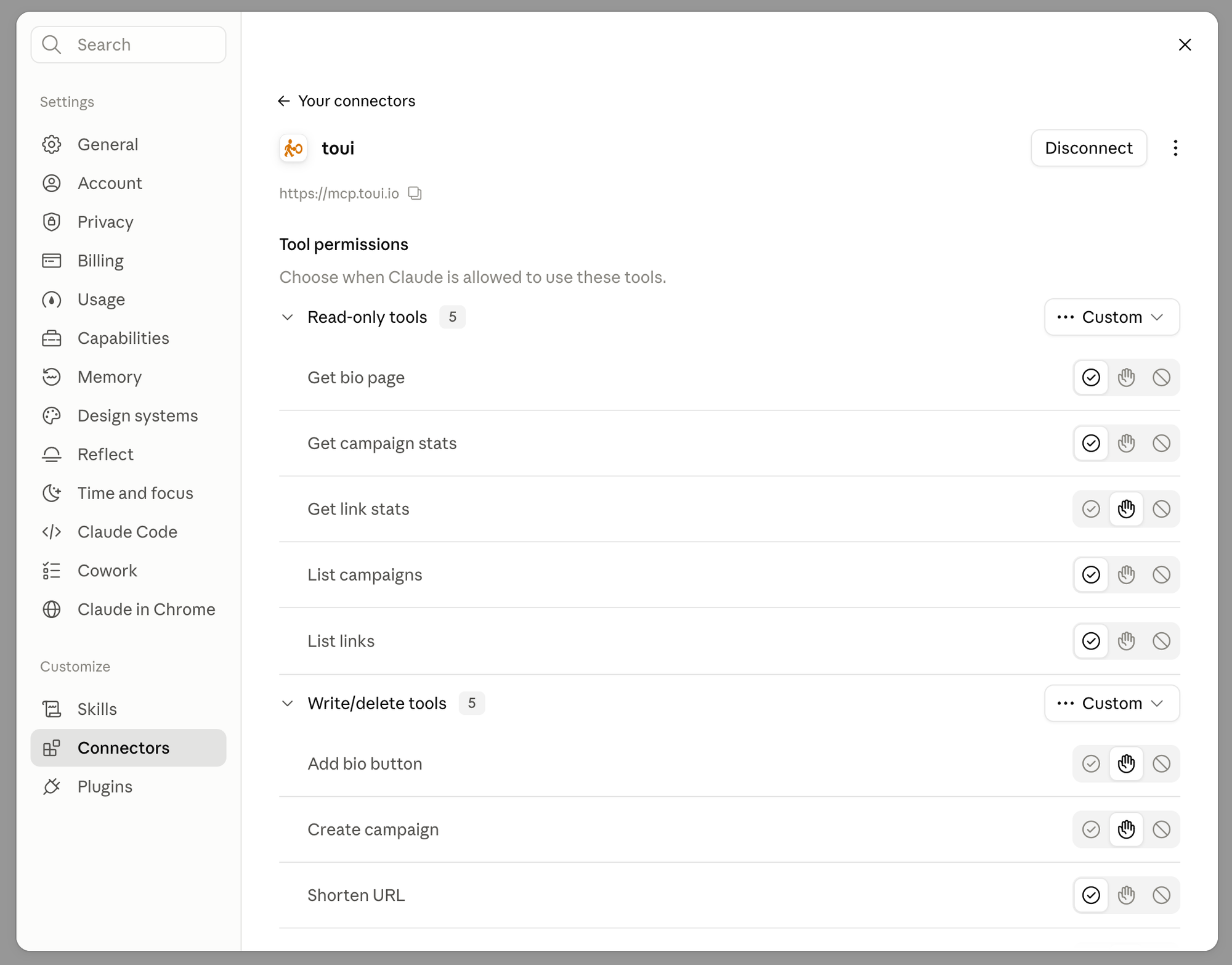
To disconnect, click Disconnect at the top of the same page. Your links keep working, because they live in your toui account and not in the conversation.
How toui handles your data is described in the privacy policy.
Troubleshooting
- Claude talks about shortening but doesn’t create a link. Name toui in the request (“shorten this with toui”), and check that the tool isn’t set to blocked under Settings → Connectors → toui.
- The sign-in didn’t finish, or the email link expired. Email links are short-lived. Request a new one, or sign in with Google instead.
- The connector won’t connect. Check that the URL is exactly
https://mcp.toui.ioand that you clicked Allow on the toui permissions page. Opening that URL in a browser shows401 Unauthorized, which is expected until Claude has signed in. - Stats look lower than expected. They are updated hourly. Ask again later, or ask for a longer period.
- Something else. Email support@toui.io.
Try it
If you don’t have a toui account yet, sign up free, add the connector and ask Claude to shorten the next link you need.